> ## Documentation Index
> Fetch the complete documentation index at: https://domoinc-openapi-sync-dataflows.mintlify.site/llms.txt
> Use this file to discover all available pages before exploring further.

# Adding Dashboards as Favorites

<Note>
  **Note:** **Dashboard** is the term for the section of the Domo interface where you can organize and view your cards. It replaces the term **Page**.
</Note>

## Intro

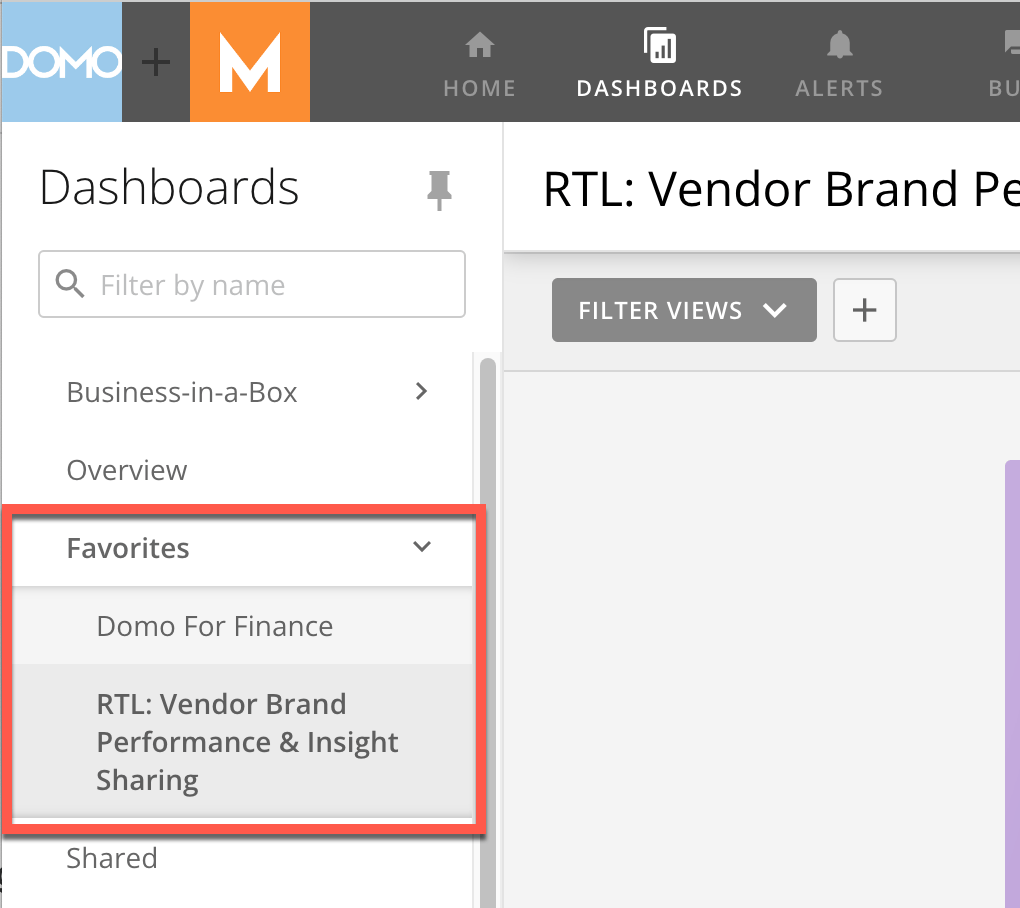
When you add dashboards as favorites, you can access them by going to the **Favorites** menu in the left side rail.

## Adding a Dashboard as a Favorite

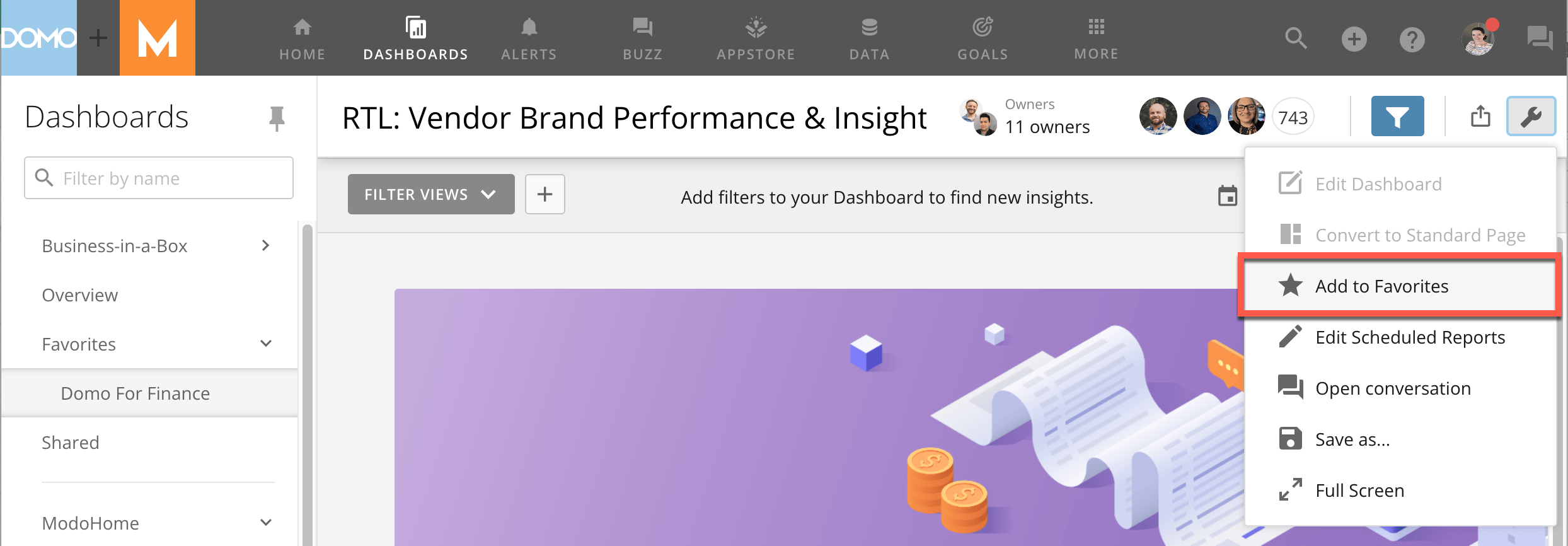
1. Open the dashboard you want to add as a favorite.

2. Select
   <img src="https://mintcdn.com/domoinc-openapi-sync-dataflows/blcgkVgnZv6gj_XY/images/kb/ka05w00000123RE-00N5w00000Ri7BU-0EM5w000005vOCa.png?fit=max&auto=format&n=blcgkVgnZv6gj_XY&q=85&s=292678e6b3545501fbdc3989f987a88f" style={{width: 20, height: 20, display: 'inline', verticalAlign: 'start', margin: '0'}} width="36" height="33" data-path="images/kb/ka05w00000123RE-00N5w00000Ri7BU-0EM5w000005vOCa.png" /> **Dashboard Options**.

The dashboard options menu displays.

3. Select
   <img src="https://mintcdn.com/domoinc-openapi-sync-dataflows/blcgkVgnZv6gj_XY/images/kb/ka05w00000123RE-00N5w00000Ri7BU-0EM5w000005vOCW.png?fit=max&auto=format&n=blcgkVgnZv6gj_XY&q=85&s=787b97d73b6e83b8105b441c13a662fd" style={{width: 20, height: 20, display: 'inline', verticalAlign: 'start', margin: '0'}} width="56" height="54" data-path="images/kb/ka05w00000123RE-00N5w00000Ri7BU-0EM5w000005vOCW.png" /> **Add to Favorites**.

<Frame>
  <img alt="add_to_favorites_modocorp.png" src="https://mintcdn.com/domoinc-openapi-sync-dataflows/blcgkVgnZv6gj_XY/images/kb/ka05w00000123RE-00N5w00000Ri7BU-0EM5w000005vOCb.png?fit=max&auto=format&n=blcgkVgnZv6gj_XY&q=85&s=4870b628032fbeb31276dd37ffbb3521" width="2488" height="866" data-path="images/kb/ka05w00000123RE-00N5w00000Ri7BU-0EM5w000005vOCb.png" />
</Frame>

Your dashboard now displays in the **Favorites** menu in the left side rail.
<Frame>
  <img alt="favorites_modocorp.png" src="https://mintcdn.com/domoinc-openapi-sync-dataflows/blcgkVgnZv6gj_XY/images/kb/ka05w00000123RE-00N5w00000Ri7BU-0EM5w000005vOCY.png?fit=max&auto=format&n=blcgkVgnZv6gj_XY&q=85&s=abe992a130c2ae3f22f64e814b569bcb" width="1020" height="908" data-path="images/kb/ka05w00000123RE-00N5w00000Ri7BU-0EM5w000005vOCY.png" />
</Frame>

To remove a dashboard from your **Favorites**, open the **Dashboard Options** menu and select **Remove from favorites**.